
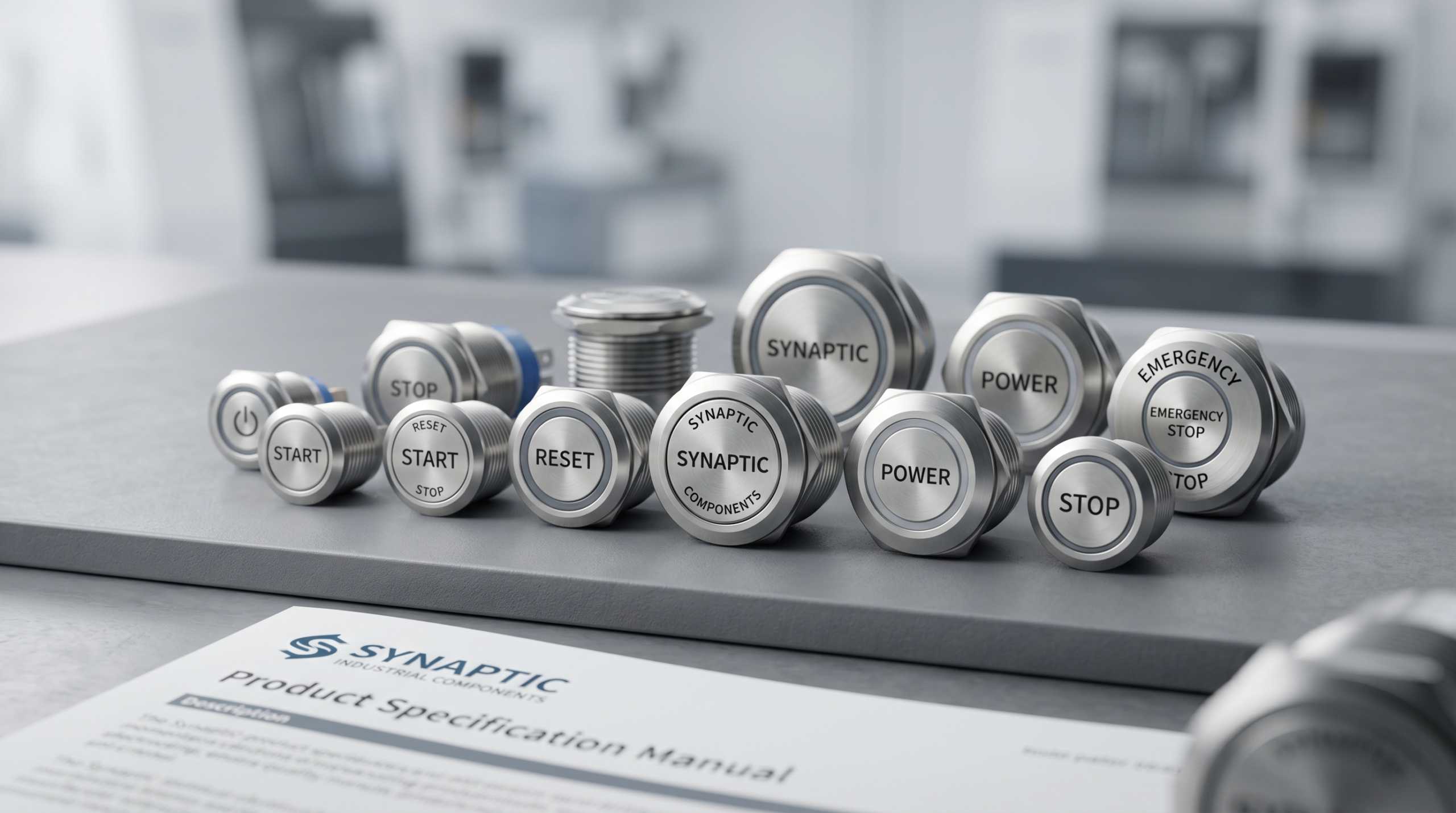
Part I: Introduction—The Tiny Detail 90% of Hardware Developers Overlook
In the world of hardware R&D, there is a fascinating paradox of “misallocated resources.”
When a team kicks off a new hardware project, product managers and engineers routinely pour 95% of their energy, budget, and meeting hours into the high-profile specs. They will debate whether to use a quad-core or octa-core SoC, spend weeks optimizing a 6-layer PCB layout, obsess over RF signal gain, or pull all-nighters tuning an AI algorithm.
But what about the physical button that actually powers the device on and off? It usually gets tossed into the very last row of the BOM (Bill of Materials) spreadsheet on a random Tuesday afternoon:
“Oh right, we need a button here. Just grab a 5-cent switch from the parts bin—as long as it completes the circuit, it’s fine.”
This is the exact “fatal detail” that 90% of hardware developers and project leads completely overlook.
A 5-Cent Component, 100% of the User Experience
Modern consumer electronics and industrial designs are witnessing a brutal reality check. Tech giants who went all-in on the “all-touchscreen, zero physical buttons” trend a few years ago (including certain EV makers and premium home appliance brands) are quietly backpedaling. Thanks to a wave of furious user backlash, they are putting physical buttons right back where they belong.
Why? Because humans are tactile creatures.
The physical button is the only bridge where your user’s hand physically connects with your million-dollar “digital brain.”
Your processor’s clock speed could be lightning-fast, but if a user presses a button and feels a mushy, lifeless resistance—or a loud, hollow click that screams cheap plastic—your product’s perceived “premium feel” and brand trust collapse right then and there.
Commercial Disasters Caused by “Choosing the Wrong Switch”
The price of neglecting switch selection goes far beyond a poor tactile experience. In the commercial loop, failing to distinguish between a Momentary Switch and a Latching Switch can lead to genuine product disasters:
-
The Battery Drain Crisis: A portable medical device mistakenly used a latching switch instead of a momentary one for its master reset line. The result? The button was accidentally held down when stuffed into a user’s backpack, silently draining the battery to zero without the user ever knowing.
-
The Safety Hazard Nightmare: A handheld power tool required an “instant-off upon release” safety feature, but the team incorrectly selected a latching switch that locks into place. When a user dropped the tool in an emergency, the blade kept spinning, leading to severe liability claims and an expensive product recall.
A tiny difference in a schematic symbol can translate to hundreds of thousands of dollars in reverse logistics and a nose-dive in Amazon star ratings once you hit mass production.
So, Which One Does Your Product Actually Need?
The switch may be small, but the implications are massive. As a product manager, procurement specialist, or hardware engineer, do you truly know the core differences between Momentary and Latching switches in terms of physical structure, power consumption, and user psychology?
Don’t panic. This article skips the cryptic physics textbooks. We are breaking down this “dynamic duo” of switches in plain English so you can make the right call for your next project—and nail that premium, high-quality feel.
💡 Why This Introduction Hooks Readers (The Breakdown)
-
Creates “Cognitive Dissonance”: By contrasting “high-end chips” with a “5-cent button,” it challenges the reader’s autopilot thinking, forcing them to wonder: “Have I been making this mistake too?”
-
Hits High-Stakes Pain Points: Mentioning “battery drain,” “recalls,” and “bad reviews” targets the exact operational risks that B2B buyers, PMs, and business owners desperately want to avoid.
-
Lowers the Barrier to Entry: It swaps dry engineering jargon for expressive, narrative phrasing (“mushy, lifeless resistance,” “dynamic duo,” “million-dollar digital brain”), making an electronic component topic read like a high-end tech review.
Part II: Momentary vs. Latching Switches—The Core Differences Explained in 3 Minutes
If you were to strip away the plastic housing, the LED backlighting, and the gold-plated terminals, every single push-button switch on the planet boils down to one fundamental question: What happens when you let go?
Let’s break down the two main mechanical DNA strains of switches using analogies you can visualize instantly.
1. The Momentary Switch: The “Active Listener”
The Golden Rule: It only works while you are actively paying attention to it.
[User Presses] ──> Circuit CLOSES (ON)
[User Releases] ──> Circuit OPENS (OFF)
A momentary switch relies on an internal spring. When you apply force, you push two metal contacts together, completing the circuit. The microsecond you remove your finger, the spring forces the contacts apart, instantly cutting the power.
-
The Analogy: Think of it like a doorbell. You press it, it rings. You let go, it stops. You wouldn’t want a doorbell that keeps ringing until you walk back outside to turn it off.
-
Real-World Examples:
-
Your computer keyboard keys (imagine typing “aaaaaaa” because the key locked down!).
-
A car horn.
-
The trigger on a gaming controller.
-
-
Best Used For: Sending quick data pulses, triggering software commands, or safety-critical operations where a human must be present to keep the machine running.
2. The Latching Switch: The “Set-and-Forget” Friend
The Golden Rule: It remembers its state until you explicitly tell it to change.
[Press 1] ──> Locks into place ──> Circuit CLOSES (ON)
[Press 2] ──> Unlocks/Pops up ──> Circuit OPENS (OFF)
Unlike its springy sibling, a latching switch contains a tiny, internal mechanical track (often shaped like a heart or a zigzag) and a metal pin. The first press locks the mechanism into a physical “down” position. It will stay there forever until you press it a second time to release the lock.
-
The Analogy: Think of a classic clicky ballpoint pen. Click once, the tip stays out. Click again, it retracts.
-
Real-World Examples:
-
A standard flashlight power button.
-
The main power switch on a desk lamp or old-school CRT monitor.
-
An emergency stop (E-stop) mushroom button on a factory floor.
-
-
Best Used For: Main power isolation, toggling constant states (like turning on a continuous vacuum pump), or hardware-level mode switching where you don’t want to waste microcontroller memory keeping track of the state.
3. The 60-Second Cheat Sheet: NO vs. NC
When dealing with these switches, you will constantly see the terms NO (Normally Open) and NC (Normally Closed). Here is how they map out under the hood:
Feature Normally Open (NO) Normally Closed (NC) Default State The circuit is broken. (Device is OFF). The circuit is complete. (Device is ON). What Pressing Does Bridges the gap, turning the device ON. Breaks the contact, turning the device OFF. Classic Use Case A Laser Pointer: It only shines light when you actively press the button down. A Refrigerator Light: The door keeps the button pressed (Circuit open/Light off). Opening the door releases the button (Circuit closes/Light turns on).
📊 The Head-to-Head Comparison Matrix
If your engineering or procurement team is stuck in a tie-breaker, use this quick reference matrix to make your decision:
Evaluation Metric Momentary Switch Latching Switch Mechanical Complexity Low (Fewer moving parts = Higher durability) Medium (Internal locking tracks can wear out over time) Software Overhead Requires debounce code to filter out electrical “noise”. Low overhead if used as a direct, hardwired power cut. User Safety High. If the user faints or drops the tool, the machine safely shuts off. Medium. Device stays running even if abandoned. Average Component Cost 💲 (Highly economical) 💲💲 (Slight premium due to internal latch mechanics)
🎬 Visual Recap
Quick Summary:
-
Need a quick trigger pulse or a safe, human-dependent control? Go Momentary.
-
Need to turn a system on and walk away to let it run? Go Latching.
Part III: Scenario Showdown—Which Switch is Your Product’s True Match?
Choosing a switch in a laboratory environment is easy. Choosing a switch for the real world—where users are distracted, environments are harsh, and panic happens—is where true product design begins.
Let’s put your product into three real-world battlegrounds so you can see exactly where you “fit in.”
1. Consumer Electronics & Smart Home: Flawless UX vs. Utter Simplicity
In consumer tech, the switch is no longer just a power cut—it is a branding statement. The question here is: Do you want a smart, multi-functional interface, or a bulletproof, isolated power cut?
-
The Momentary + Software Approach (The “Sleek” Route):
If you are designing a premium smart speaker, a drone controller, or a smart thermostat, you will almost always want a momentary switch connected to a microcontroller GPIO pin.
-
Why? Because a single momentary button can be programmed to do multiple things via software: a quick tap turns it on, a double-tap skips a track, and a 3-second long-press triggers Bluetooth pairing. It keeps the product sleek and minimizes clutter.
-
-
The Latching Approach (The “Analog” Route):
If you are building low-cost or high-drain household appliances like a desk vacuum, a vintage-style toaster, or a standing fan, a mechanical latching switch is your best friend.
-
Why? It physically disconnects the power grid from the device. There is no “standby power” drain, no software bugs to worry about, and it works instantly every single time, keeping manufacturing costs rock-bottom.
-
The UX Golden Rule: If your device requires software-driven menus and smart modes, go Momentary. If it just needs to be turned ON and forgotten about, go Latching.
2. Industrial Control & Medical Devices: The High-Stakes Binary Choice
In industrial and medical environments, a wrong switch selection doesn’t just mean a bad review—it can mean a lawsuit or a lost life. Here, the choice between momentary and latching is strictly governed by fail-safe design.
-
When Momentary Wins: The “Dead-Man’s Switch”
In heavy machinery (like industrial log splitters) or medical laser devices, you never use a latching switch for operation. You use a momentary switch. If the operator faints, slips, or panics and lets go of the button, the spring instantly cuts the circuit, bringing the dangerous machinery or laser to an immediate halt.
-
When Latching Wins: The Emergency Stop (E-Stop)
Conversely, the giant red mushroom button on a factory wall must be a latching switch. If an assembly line goes rogue, a worker slaps the E-stop. The switch locks into the open position. Even if the worker panics and runs away, the machine stays dead until a safety supervisor manually twists and unlocks the button after an inspection.
Industry Sector Preferred Switch Type Critical Reason Surgical Tools Momentary Prevents accidental continuous firing. Factory Conveyors Latching (E-Stop) Guarantees the system stays down during a crisis. Patient Monitors Momentary (Alarm Silence) Ensures the alarm can be easily reactivated later.
3. Automotive Electronics & Outdoor Equipment: Battling Panic and Extreme Environments
When a user is driving a vehicle at 70 mph in a rainstorm, or a hiker is dealing with hypothermia in freezing mountains, they lose their fine motor skills. They experience tactile numbness and cognitive panic.
-
Designing for Panic (The Cockpit Dilemma):
In automotive cockpits, mission-critical controls (like hazard lights or windshield wipers) rely heavily on distinct tactile switches. A driver cannot look down at a flat touchscreen during an emergency. They need to blind-shove a physical button.
-
Latching toggle switches are highly favored here because the physical position of the switch toggle gives immediate, non-visual feedback to the driver about whether the system is on or off.
-
-
Designing for the Elements (The Rugged Wilderness):
Outdoor gear—like diving flashlights, tactical walkie-talkies, or rugged GPS units—faces dirt, mud, and water ingress.
-
Momentary tactile switches sealed beneath a continuous rubber membrane are incredibly resilient against water (IP67/IP68 ratings). Because they have fewer internal moving latches, they are less likely to jam when mud or ice gets inside the housing.
-
The Engineering Takeaway: When environmental stress goes up, mechanical complexity should go down. For extreme mud and water, a sealed momentary button is easier to protect. For gloved, blind-operation where state visibility matters, a heavy, mechanical latching toggle wins.
Part IV: The Pitfall Guide—4 Fatal Mistakes Most Commonly Made During Switch Selection
Designing a circuit on paper is easy, but keeping it alive in mass production is a different beast entirely. When sourcing components, it is incredibly easy to overlook the subtle mechanics of a simple button.
To help you protect your bottom line and save your engineering team from late-night debugging crises, here are the four most fatal mistakes made during switch selection—along with how to fix them.
Mistake 1: Judging a Switch by its Cover—and Ignoring Voltage and Current Thresholds
The Anxiety: You find a beautifully anodized aluminum button that perfectly matches your product’s aesthetic. You design the housing around it, only for the button to melt internally or physically weld itself shut during testing.
Many developers assume a switch is just a passive piece of metal, so “any switch can handle any basic power line.” This is a dangerous misconception. Every switch has an electrical threshold limit based on its internal contact materials (such as silver or gold plating) and the gap between those contacts.
-
The DC vs. AC Trap: A switch rated for 10A at 250V AC might instantly fail if you run 10A at 24V DC through it. Why? Because AC power naturally crosses a “zero voltage” point 50 or 60 times a second, which extinguishes electrical arcs. DC power does not. It creates a continuous, hot arc every time the switch opens, slowly burning away the contacts.
-
The Solution: Never choose a switch based purely on dimensions or aesthetics. Always calculate your peak inrush current (especially if your device has motors or large capacitors) and match it against the datasheet’s specific Contact Rating for your exact voltage type (AC vs. DC).
Mistake 2: Blindly Pursuing “All-Touchscreen” Tech—and Killing the User’s “Blind-Operation Safety Feel”
(Note: Correcting a quick typo in your outline here—blindly chasing touchscreens actually strips away tactile confidence rather than enhancing it!)
The Anxiety: In a rush to look “futuristic,” you replace all physical buttons with a flat, glossy touch panel. Now, your users have to take their eyes off what they are doing just to confirm if their finger landed on the right spot, leading to accidental triggers and massive user frustration.
Touchscreens and capacitive touch panels are fantastic for menus, but they are terrible for muscle memory. Humans rely heavily on proprioception—the ability to know where our hands are without looking.
-
The Loss of “Tactile Confirmation”: When driving a car, operating medical equipment, or using a smart home device in the dark, a user wants to blindly reach out, feel a physical physical ridge, and press it with absolute certainty. Touch panels offer zero physical feedback, leading to “did it actually register?” anxiety.
-
The Solution: Protect your user experience. Keep mission-critical, high-frequency, or safety-related functions (like Power, Volume, Mute, or Emergency Stops) as physical buttons. Let the touchscreens handle the secondary settings.
Mistake 3: Ignoring Mechanical Lifespan and “Click Ratio”—Making Premium Hardware Feel Incredibly Cheap
The Anxiety: Your internal circuit board is a masterpiece of engineering, but because you skimped on the button mechanics, the key press feels mushy, like stepping on stale bread. Or worse, the switch spring loses its tension and dies after just 5,000 clicks, forcing customers to return the entire product.
A button’s perceived quality is entirely governed by its Click Ratio—the mathematical relationship between the force required to actuate the switch and the force at which it snaps back.
$$\text{Click Ratio} = \frac{F_{\text{peak}} – F_{\text{contact}}}{F_{\text{peak}}} \times 100\%$$If this ratio is too low, the button feels mushy. If the mechanical cycle rating is too low, the internal spring deforms permanently under heavy usage.
-
The Solution: Look for the Mechanical Life rating in the specifications. A consumer-grade remote control button should handle at least 100,000 cycles, while an industrial or gaming switch should be rated for 1,000,000 to 10,000,000 cycles. Request physical samples from your vendor to verify that the click sound and resistance match your brand’s quality standards.
Mistake 4: Failing to Implement Proper Software Debouncing—Leading to High-Frequency False Triggers
The Anxiety: The hardware looks beautiful, the switch feels amazing, but when a user presses the button once to turn on a light, the light flashes wildly and turns right back off. Your software is registering one physical press as ten rapid clicks.
When a physical metal leaf inside a switch snaps closed, it doesn’t just make perfect contact instantly. On a microscopic level, the metal pieces literally bounce against each other for 1 to 5 milliseconds before settling down. To a high-speed microcontroller, this microscopic bouncing looks like a human tapping the button at superhuman speeds.
[Button Pressed] ──> █ █ █ ▄ ▄ █ ▄ █ █ █ █ █ █ █ █ ──> [Circuit Settles] ^─ Electrical "Bounce" Noise ─^-
The Solution: Do not skip the Debounce phase. You can solve this in hardware by adding a simple resistor-capacitor (RC) low-pass filter to smooth out the voltage spikes, or you can solve it in software by implementing a timer delay or state machine that ignores any secondary input pulses within 10 to 20 milliseconds of the initial press.
Part V: The Ultimate Selection Decision Tree—3 Questions to Lock In Your Perfect Switch
Datasheets are notorious for inducing choice paralysis. When you open a supplier catalog and see 50,000 variations of a single push-button switch, it is easy to get lost in grid dimensions, terminal types, and plating materials.
Let’s cut through the noise. Before you write a single line of code or commit to a component vendor, run your product through these three simple questions. Follow the paths below to find your exact switch profile.
Question 1: What dictates the state change—Human Presence or System Autonomy?
This is your fork in the road between Momentary and Latching.
-
Path A: “The device should only react while the user is actively pushing, OR the button is triggering a smart software menu.”
-
👉 Your Answer: Momentary.
-
Design Note: You are looking for tactile switches, microswitches, or momentary push buttons. The state retention will be handled by the user’s finger or your microcontroller’s firmware.
-
-
Path B: “The user presses it once, walks away, and the device must stay in that state continuously without software intervention.”
-
👉 Your Answer: Latching.
-
Design Note: You need a mechanical self-locking push button, rocker switch, or toggle switch.
-
Question 2: Is the switch handling “Brain Signals” or “Raw Muscle”?
This determines your Electrical Rating requirements and saves you from the burnt-contact disasters we discussed in Part IV.
-
Path A: “It connects to a Microcontroller (MCU/Arduino/SoC) GPIO pin operating at 3.3V or 5V with micro-amps of current.”
-
👉 Your Profile: Logic-Level Signal Switch.
-
What to look for: Gold-plated contacts (gold doesn’t oxidize at low voltages, ensuring a clean signal) and highly compact form factors (like SMD tactile switches).
-
Action Item: You must allocate space in your hardware or code for a debouncing routine.
-
-
Path B: “It sits directly on the power rail, switching the main battery line, a 12V motor, or 110V/220V mains power.”
-
👉 Your Profile: Power-Rated Isolation Switch.
-
What to look for: Silver-alloy contacts (designed to withstand high-temperature electrical arcing) and heavy-duty internal springs.
-
Action Item: Double-check the DC rating specifically if you are running on battery power.
-
Question 3: Where will the user’s hand be when they press it?
This dictates your Form Factor, Tactile Feedback, and Environmental (IP) Rating.
-
Path A: “In a cozy, clean environment (Living room, office, laboratory) using bare fingers.”
-
👉 Your Profile: Standard Interior Switch.
-
Specs to prioritize: Focus on aesthetics, low actuation force (100g to 160g for a light, effortless click), and silent or crisp acoustics based on branding. Low IP rating (IP40) is perfectly fine.
-
-
Path B: “In a chaotic, rugged, or stressful environment (Outdoor construction, driving a vehicle, operating a medical emergency device with gloves).”
-
👉 Your Profile: Ruggedized / Industrial Switch.
-
Specs to prioritize: High actuation force (250g+ so it can’t be triggered accidentally by a bump), large button surface area for blind operation, and a sealed design with a minimum of an IP67 or IP68 rating to keep out dust, mud, and rain.
-
🗺️ The Quick-Glance Decision Matrix
If you prefer a visual cheat sheet over text, map your answers using this matrix to instantly narrow down your vendor search:
If your product is a… …Your Switch Type is… …And your key spec to watch is… Smart Home Hub / Wearable Momentary (Logic-Level) Ultra-low profile, Gold plating, High Click Ratio Handheld Power Tool Momentary (Power-Rated) High current DC rating, Sealed rubber boot (IP65+) Industrial Machine Main Power Latching (Power-Rated) UL/CE Safety Certifications, High AC Voltage rating Outdoor Marine Instrument Latching or Toggle Marine-grade Stainless Steel / IP68 ingress protection
The Takeaway: By answering these three questions, you instantly eliminate 95% of the wrong components from your sourcing list. You protect your circuit from burning out, your software from glitching, and your user from a frustrating experience.
Part VI: Conclusion—Choosing the Right Switch to Inject a “Premium Feel” Into Your Product
In modern product design, the boundary between an ordinary gadget and a premium device is incredibly thin. It rarely comes down to the raw processing power hidden beneath the plastic housing. Instead, it is defined by the silent, tactile interactions that happen thousands of times a day.
When a user interacts with your product, they are judging your brand through their fingertips.
A beautifully tuned switch doesn’t just complete an electrical circuit; it completes the emotional loop of user satisfaction.
Whether you choose a sleek, software-driven momentary tactile switch or a rugged, reassuringly heavy mechanical latching switch, that choice should never be an afterthought. It is a critical design decision that bridges the gap between hardware functionality and human psychology.
Don’t Let a 5-Cent Component Ruin a Million-Dollar Project
As you move your product from the breadboard to mass production, remember the golden rule of hardware: Your product is only as reliable as its weakest link. Skimping on switch selection or rushing through the engineering specifications is a shortcut to high return rates, negative user reviews, and a diluted brand reputation.
By paying attention to the details—calculating current thresholds, respecting the click ratio, and implementing robust debouncing—you transform a basic utility into an experience that oozes quality and reliability.
🚀 Let’s Build Something Premium Together
Navigating the endless matrix of switch specifications can be overwhelming, but you don’t have to do it alone.
At [Your Company Name], we don’t just supply electronic components; we help you engineer the perfect tactile experience for your specific application. Whether you need a custom-engineered IP68 rugged switch for outdoor equipment, or a micro-profile gold-plated tactile switch for a next-gen wearable, our application engineers are here to guide you.
-
Need to test the hand-feel? Contact our team today to request a Free Sample Selection Kit.
-
Stuck on a tricky circuit design? Reach out for a complimentary engineering consultation to optimize your hardware debouncing and power distribution.
[Click Here to Explore Our Push-Button Switch Catalog] or [Chat with an Application Specialist Right Now].
-
-
-