
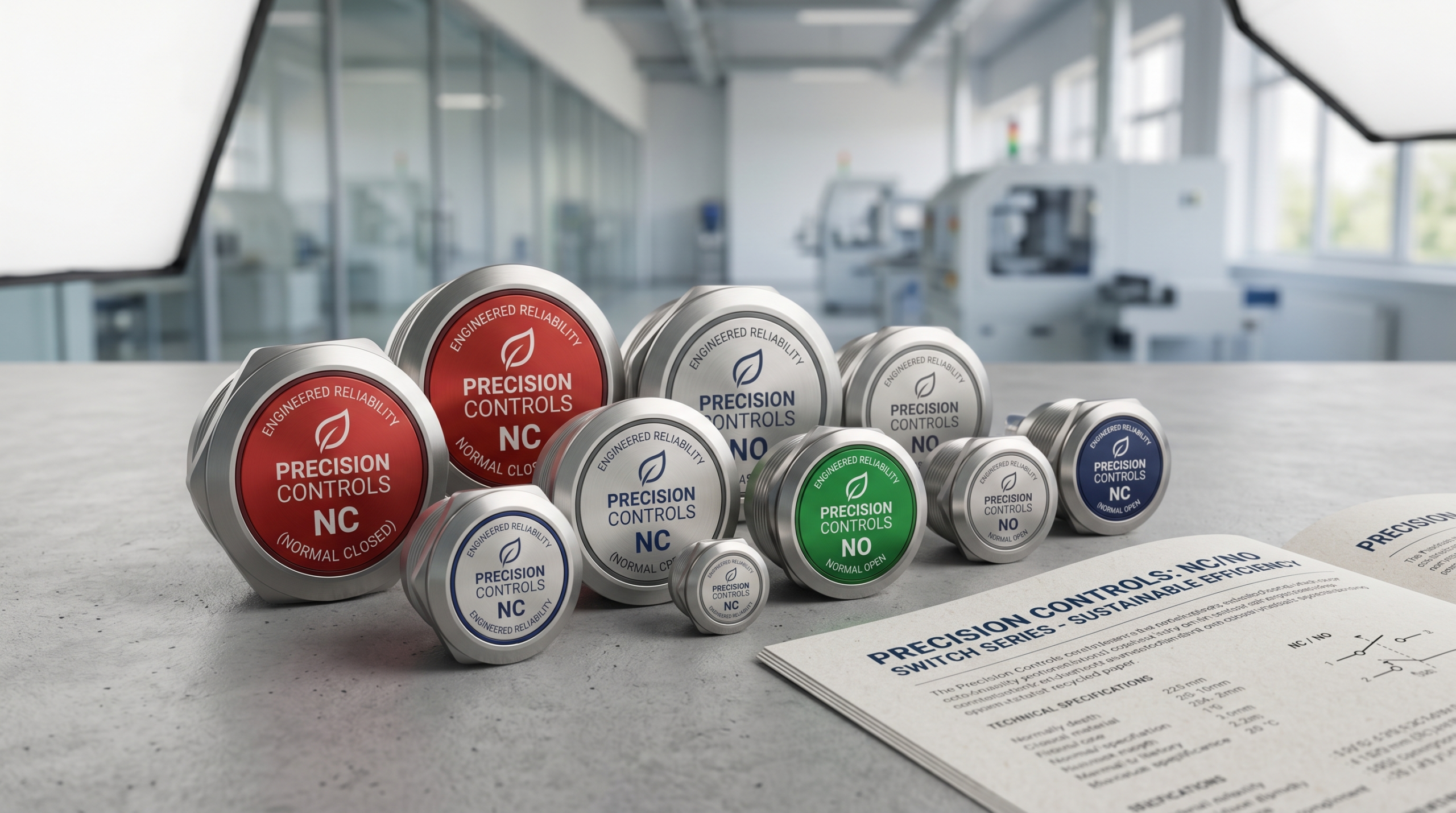
第一部分:引言——不要低估这两个字母,它们定义了你电路的“自然特性”
Imagine walking into a hardware lab or a factory floor during a product’s first live trial. You power on the prototype, press the emergency safety switch, and instead of shutting down, the machine violently accelerates. Or, you test a new handheld medical device, release the trigger, and the laser just keeps firing.
When a product behaves entirely backward, your mind immediately races to catastrophic conclusions: Did the microcontroller chip fry? Is there a fatal short circuit in the 4-layer PCB? Did the software team push glitched code?
9 times out of 10, the culprit is embarrassingly simpler. Nobody hacked your device, and your SoC isn’t broken. Someone simply flipped two tiny letters on the schematic or the BOM (Bill of Materials) list: NO and NC.
The Tiny Giants of Electrical Logic
In the world of component sourcing and electronic design, NO (Normally Open) and NC (Normally Closed) are the ultimate tiny giants. They frequently look like minor footnotes buried at the bottom of a massive vendor datasheet, yet they act as the fundamental “behavioral DNA” or “personality” of your entire hardware system.
They dictate a simple but profound rule: How does your product behave when no human is touching it? * Is it naturally resting, silently saving power?
- Or is it naturally alive, maintaining a continuous defensive line?
Getting this wrong turns your hardware into a comedy of errors. It leads to smart locks that swing wide open when the power cuts out, or security alarms that stay dead silent during a break-in but scream bloody murder when everything is perfectly safe.
Why Procurement and PMs Need to Care
Flipping NO and NC isn’t just a headache for the engineer soldering the board; it is a ticking time bomb for the business.
For product managers (PMs) and procurement specialists, misunderstanding these two letters is a fast track to wasted capital. Ordering 10,000 units of an “NC” switch when your design urgently required an “NO” switch means thousands of dollars in un-allocable inventory, missed launch windows, and awkward conversations with suppliers about return policies. Furthermore, it can completely break your product’s safety certifications (like UL, CE, or RoHS) before you even hit the market.
Your 10-Minute Mastery Starts Here
You don’t need a degree in electrical engineering to master this. In this quick guide, we are blowing past the dry, confusing textbook jargon.
We will break down exactly how NO and NC switches work under the hood, use real-world everyday analogies to lock the concepts into your brain forever, and show you how to choose the exact right “personality” for your next product line. Let’s get wired.
Part II: The Core Mechanics—What Exactly Are the “Initial States” of NO and NC?
Let’s strip away the confusion in exactly 180 seconds. The magic phrase to remember here is “Initial State” (also known as the “Resting State”). This refers to how the switch behaves when it is sitting completely alone on a warehouse shelf, or when no human finger, mechanical arm, or actuator is physically touching it.
Here is the microscopic breakdown of how these two distinct design personalities function.
1. NO (Normally Open): Idle by Default, Pressed to Power Up
The Baseline: The circuit is broken. Electricity cannot flow.
A Normally Open (NO) switch is the ultimate minimalist. In its natural, resting state, the internal metal contacts are physically separated by a gap. The “bridge” is broken, meaning the connected device is completely dead and drawing zero power.
- The Action: When you physically press the button, you compress an internal spring, forcing those two metal contacts to smash together. The bridge is completed, electrons flood through, and the device springs to life.
- When you let go: The spring kicks in, retracting the contacts, breaking the bridge, and turning the device off again.
- 💡 Visual Core: Disconnected is the baseline; pressing it is the activation.
2. NC (Normally Closed): Alive by Default, Pressed to Interrupt
The Baseline: The circuit is complete. Electricity is actively flowing.
A Normally Closed (NC) switch behaves in the exact opposite manner. In its natural, untouched state, the internal metal contacts are already pressed tightly together. The “bridge” is built by default. Current flows through the switch completely unhindered without you ever lifting a finger.
- The Action: When you press an NC button, the internal mechanics do the reverse—they pull the contacts apart, creating an air gap. You are intentionally breaking the bridge, rupturing the circuit, and instantly killing the current.
- When you let go: The spring forces the contacts back together, restoring the loop and turning the power back on.
- 💡 Visual Core: Connected is the baseline; pressing it is the emergency kill switch.
3. Still Confused? How to Spot “Open vs. Closed” on a Schematic Diagram
In everyday language, when a store is “closed,” you cannot enter. But in electrical engineering, it is exactly the opposite: a closed circuit means the gate is locked tight, allowing electricity to pass smoothly through!
When looking at an engineering schematic or a supplier’s catalog blueprint, you can easily tell them apart by looking at the “drawbridge” symbol:
- The NO Symbol: It looks like a straight line with a diagonal gate swinging up and away from the circuit path. It is visually obvious that the bridge is raised and electricity cannot cross the gap.
- The NC Symbol: It looks like a straight line where the diagonal gate is physically resting flat across both contact points, forming a solid, uninterrupted highway for the electrical current.
| Switch Type | Resting State | Pressed State | Best Analogy |
| NO (Normally Open) | Circuit Broken (OFF) | Circuit Complete (ON) | A Flashlight: It stays dark until you purposefully click the button. |
| NC (Normally Closed) | Circuit Complete (ON) | Circuit Broken (OFF) | A Home Security Tripwire: The circuit stays connected until an intruder breaks the wire. |
Part III: The God-Level Metaphors—Two Everyday Scenarios So You’ll Never Mix Them Up Again
If you are a Product Manager orchestrating a product roadmap, or a Procurement Specialist evaluating supplier BOM costs, you don’t need to stare at green fiberglass circuit boards to memorize NO and NC. You just need to look at your front door and your kitchen.
To bridge the gap between technical jargon and real-world intuition, let’s look at two everyday objects that perfectly embody these electrical personalities.
1. Laser Pointers and Doorbells: The Classic NO (Normally Open) Logic
Think about a standard laser pointer keychain or a traditional house door铃 (doorbell).
When a laser pointer is sitting on your desk, it is completely harmless. It isn’t shooting a beam across the room because its internal bridge is raised. To get a reaction out of it, you have to actively use muscle power.
- The Action: You press your thumb down on the rubber button. The contacts meet, the circuit closes, and a red dot appears on the wall.
- The Moment of Release: The very millisecond your thumb gets tired and slips off the button, the beam vanishes.
💡 The NO Trigger Mechanism: Finger on = Action. Finger off = Instant silence.
This is Normally Open logic in its purest form. It requires continuous human effort to maintain the “ON” state. If you are designing a TV remote, a computer mouse, or a blender pulse button, this is the exact behavioral DNA you are sourcing.
2. The Refrigerator Light and the Tripwire: The Textbook NC (Normally Closed) Logic
Now, let’s flip your brain upside down and open your refrigerator.
Have you ever wondered about the magic of the internal fridge light? When the refrigerator door is wide open, the light bulb is brightly illuminated. But the moment you slam the heavy door shut, the light mysteriously turns off. How does it know?
Look closely at the edge of the fridge frame, and you will find a small, spring-loaded plastic plunger. That plunger is a Normally Closed (NC) switch.
- The Closed-Door Action (Button is PRESSED): When you close the fridge door, the heavy door physically mashes down on that plunger. It pushes the internal electrical contacts apart, breaking the circuit, and safely turning the light OFF so it doesn’t waste energy or melt your milk.
- The Open-Door Action (Button is RELEASED): When you pull the door open, you remove the physical pressure. The plunger spring snaps back out to its natural “resting” state. The internal contacts slam back together, closing the circuit, and the light turns ON automatically to guide your midnight snack hunt.
💡 The NC Trigger Mechanism: Door closes (Button Pressed) = Device turns OFF. Door opens (Button Released) = Device turns ON.
This is the classic Normally Closed logic. It is alive by default, and it takes an outside physical force to push it into submission and cut the power.
🧠 The Takeaway for PMs and Procurement
Next time you are reviewing a component component specification sheet and find yourself hesitating, just ask yourself this:
- Do I want this feature to act like a doorbell (only wakes up when actively pushed)? Specify NO.
- 我希望这个功能像冰箱灯一样工作吗(当障碍物被移除或电线被剪断时立即触发动作)?请指定NC。
Part IV: The Application Showdown—Why Industrial & Medical Safety Heavily Rely on NC (Normally Closed)
In consumer electronics, a glitchy button means a user restarts an app. In heavy industry or medical operating rooms, a glitchy button can mean catastrophic failure or a lost life.
This is where we transition from basic electronics into the core principle of industrial safety: Fail-Safe Design. When a system fails—and eventually, everything does—it must always fail into a state that keeps humans safe.
Let’s look at the real-world engineering battlegrounds to see why NC switches rule the world of heavy machinery, and how NO switches quietly save the day in your pocket.
1. Emergency Stop Buttons (E-Stop): The Life-Saving Logic of “Broken Wire Safety”
If you walk into any factory, you will see giant, red mushroom-shaped Emergency Stop (E-Stop) buttons. You might assume that pressing it sends a signal to the machine saying, “Hey, please turn off now.” Actually, it does the exact opposite. An E-Stop is almost universally wired as a Normally Closed (NC) circuit. It continuously feeds current to the machine’s motor contactor. Pressing the E-Stop physically slaps the contacts apart, cutting that current and killing the machine.
The Industry Secret: The “Broken Wire” Nightmare
Imagine you wired an E-Stop using an NO (Normally Open) switch. One day, a forklift accidentally rolls over the control cable, silently cutting the copper wire inside. Nobody notices. Ten minutes later, a machine malfunctions. An operator rushes over and slams the E-Stop. The switch contacts close perfectly, but nothing happens because the wire is broken down the line. The signal never reaches the brain. The machine keeps crushing.
By using an NC (Normally Closed) switch, if that forklift cuts the cable, the circuit breaks instantly. The system perceives the broken wire as an emergency shutdown event and kills power to the machinery automatically. The machine safely stops before anyone even realizes the cable was damaged.
2. Industrial Limit Switches: The Final Defense Against Rogue Machinery
Industrial robotic arms and CNC gantries rely on sophisticated software and optical sensors to track their position. But software freezes, and optical sensors get covered in factory grease.
When a multi-ton robotic arm loses its mind and moves past its designated safe zone, it triggers a mechanical Limit Switch mounted at the physical end of the track.
- The Setup: These limit switches are wired as NC.
- The Collision: As the rogue robotic arm over-travels, it physically hits the switch lever, forcing the internal NC contacts apart.
- The Result: Because it is an NC circuit, the physical separation immediately cuts the raw electrical power feeding the motor drive. It bypasses the glitched computer software entirely. It is a pure, un-hackable physical law: no contact, no current, no movement.
3. Consumer Electronics: Flipping the Script with NO Switches for Ultimate Standby Efficiency
After hearing how amazing NC switches are for safety, you might wonder: Why don’t we use them for everything? This brings us to consumer tech. If you are designing a battery-powered smartwatch, a wireless medical thermometer, or an electric toothbrush, an NC switch is your worst enemy.
- The Energy Drain: Remember, an NC switch requires a continuous loop of current to maintain its baseline state. If your smartphone used an NC power switch, the battery would drain to absolute zero just sitting on a retail shelf, silently feeding power through the switch loop.
- The NO Solution: Instead, consumer electronics heavily rely on NO (Normally Open) tactile switches connected to a Power Management IC (PMIC). While resting, the circuit is physically open, drawing absolute zero nano-amps of standby current. The device only consumes power the exact microsecond your finger compresses the button to wake up the system.
[Industrial Safety (NC)] ──> Focus: Absolute Safety (Fails to OFF if damaged)
[Consumer Tech (NO)]      ──> Focus: Battery Efficiency (Zero power draw at rest)
💡 B2B采购要点
When mapping out your next product build or reviewing a component procurement list:
- If your device can cause physical harm upon failure, or requires high-level safety compliance (UL/CE industrial standards), protect your brand by designing around NC (Normally Closed) architecture.
- If your device prioritizes battery life, portability, and micro-amp standby efficiency, streamline your power rail with NO (Normally Open) components.
Part V: Advanced Selection—The Perfect Synergy of NO and NC Through SPDT Switches
Up to this point, we have treated Normally Open and Normally Closed like bitter rivals—two completely opposite design philosophies fighting for a spot on your printed circuit board (PCB). But what if your product design requires both states? What if you need a system that simultaneously cuts power to one component while activating another with a single press?
Enter the masterclass of switch engineering: the SPDT (Single Pole Double Throw) switch. This is where premium component manufacturers showcase the true versatility of their product catalogs.
The Advanced Gameplay: Why Choose When You Can Have Both?
Instead of having just two pins that open or close a single line, an SPDT switch features three pins. It acts as a mechanical crossroad, containing one COM (Common) terminal, one NO (Normally Open) terminal, and one NC (Normally Closed) terminal.
                    ┌─── NO (Normally Open) -> Device B (OFF at rest)
[COM] ─── (Lever) ──┤
                    └─── NC (Normally Closed) -> Device A (ON at rest)
In its resting state, the internal lever connects the COM pin directly to the NC pin. When a user presses the button, the lever flips, breaking the connection with NC and instantly latching onto the NO pin.
The B2B Multi-Tasking Example: The Status Indicator Light
Imagine you are designing a high-end industrial control panel or a premium medical sterilization unit. You want a green light to shine when the system is safe and idle, but you want that green light to turn off and an aggressive red alert light to turn on the exact moment an operator pushes the trigger.
Without an SPDT switch, you would need two separate buttons, or an expensive external relay, or complex microcontroller programming. With an SPDT switch, you hook the Green LED to the NC pin and the Red LED to the NO pin.
- At rest: Electricity flows from COM to NC — the green light shines.
- Pressed: The lever snaps over. The green light dies instantly, and electricity routes from COM to NO — the red light blares.
By leveraging SPDT architecture, procurement teams can drastically lower the overall bill of materials (BOM) count, reducing the need for extra microchips or secondary switches while delivering an incredibly sophisticated user experience.
选型避坑 (Sourcing Pitfall Avoidance): Pin Overload—How to Decode a Manufacturer’s Datasheet
When a purchasing manager or junior engineer opens a premium supplier catalog, confidence can quickly evaporate. You look up a button, and instead of a simple 3-pin layout, the datasheet shows 4, 6, or even 12 pins sticking out of a single component.
Panic sets in. How do you map these pins to your circuit without causing a short-circuit disaster? Here is your cheat sheet to decoding datasheet contact definitions like an industry veteran.
1. Translate the “Form” Jargon
Component manufacturers rarely type out “Normally Open” on their official blueprints. Instead, the global electronics industry uses an alphabetic shorthand called Contact Forms:
- Form A: This is industry code for SPST-NO (Single Pole Single Throw, Normally Open). If you see “Form A,” it’s a standard doorbell-style switch.
- Form B: This means SPST-NC (Normally Closed). It’s your refrigerator light switch.
- Form C: This is the holy grail—SPDT. It tells you the switch contains a changeover contact pairing both an NO and an NC terminal sharing a common line.
2. Separate the “Brain” from the “Beauty” (The Integrated LED Trap)
A massive point of confusion on 4-pin or 6-pin tactile buttons is that developers mistake the extra pins for complex switching logic. 90% of the time, those extra pins have nothing to do with the circuit path. They simply power the integrated LED backlight inside the button casing.
- How to spot them: Look at the internal schematic printed on the datasheet. The switching terminals will be marked with numbers (e.g., 1, 2, 3) or letters (COM, NO, NC). The LED terminals will be distinctly marked with plus (+) and minus (-) signs or labeled as Anode and Cathode.
3. Look for the “Double Pole” Mirror Image
If you come across a 6-pin switch without an LED, you are likely looking at a DPDT (Double Pole Double Throw) switch. Don’t let the grid of pins intimidate you. A DPDT switch is literally just two separate SPDT switches glued together inside a single casing, controlled by the exact same physical button. Pin 1, 2, and 3 control Circuit A, while Pin 4, 5, and 6 control Circuit B in absolute isolation.
💡 Sourcing Summary
When browsing an electronic component product matrix, don’t just search for “buttons.” Filter your search by Contact Form. If your product requires dynamic feedback, state switching, or dual-path security, filtering for Form C (SPDT) or DPDT will instantly unlock the high-performance components your engineering team needs to build a world-class product.
Part VI: Conclusion—Mastered in 10 Minutes: How to Pick the Perfect Contact Mechanism for Your Device
In just ten minutes, you have mastered an architectural nuance that many product teams only learn through expensive component failures and product delays.
NO (Normally Open) and NC (Normally Closed) are no longer just arbitrary labels buried inside an engineering textbook or a supplier’s catalog. They are the foundational DNA of your system’s behavior—dictating whether your device prioritizes razor-sharp user safety, battery-sipping standby efficiency, or elegant, multi-tasking status feedback.
When you are bringing a new product to market, every single millisecond of tactile interaction matters. Sourcing the right switch means protecting your brand’s reputation, ensuring regulatory compliance, and delivering a reliable user experience that feels premium from the very first click.
🚀 Turn Engineering Insight Into Market Success
Choosing the perfect component shouldn’t involve guesswork. You don’t have to navigate endless rows of pin configurations, contact materials, and current threshold charts alone.
Whether your next project demands high-frequency, micro-amp NO contacts for sleek consumer electronics, or ruggedized, ultra-safe NC mechanisms for demanding industrial and medical environments, our dedicated application engineers are ready to deliver precise, customized selection support.
Let us handle the component complexities so you can focus on building incredible hardware.
- Ready to test the tactile feedback? Click below to request a Free Sample Selection Kit tailored to your project’s exact enclosure dimensions.
- Stuck on a challenging schematic layout? Contact our technical support team today for a complimentary circuit review and engineering consultation.